PCAN-Explorer 7 & Python Scripting: From CAN analysis tool to an automatable development and testing platform
Python scripting turns PCAN-Explorer 7 into an automation platform for CAN analysis, diagnostics, testing, logging, reporting, and development workflows.
With PCAN-Explorer 7, the professional Windows software for CAN, CAN FD, and CAN XL has been enhanced by a key feature for automated development and testing workflows: Python scripting. In addition to VBScript, it provides a modern scripting language that allows users to access the PCAN-Explorer 7 object model and automate repetitive tasks in CAN environments. For engineers, this means that PCAN-Explorer 7 is no longer merely a tool for the manual analysis of CAN communication; it becomes a scriptable platform for diagnostics, test automation, logging, reporting, and prototype testing procedures.
Why Python?
From the perspective of the software developers, integrating Python is a logical step. For one thing, Python is well-established across many technical fields today – including test systems, automation, CI/CD environments, data analysis and communication, and automotive development. For another, the existing scripting technology, VBScript, is not a future-proof long-term solution; Microsoft has announced plans to phase it out. Consequently, Python provides PCAN-Explorer 7 with a future-oriented foundation for custom scripting and automation – directly within the program environment. Python was selected because the language offers clear syntax, high readability, and an extensive standard library. This is particularly relevant for PCAN-Explorer 7, as many automation tasks can be implemented via concise, easily maintainable scripts – ranging from loading a project and recording a trace to analyzing CAN data.

What Python Can Do – and What Users Need to Know
Python is an interpreted scripting language. Unlike traditional compiled languages, its code is not translated into an executable program beforehand but is executed directly. This offers a clear advantage for technical users: scripts can be quickly written, tested, modified, and re-run. At the same time, Python supports structured programming: variables, functions, loops, conditional statements, lists, dictionaries, and file operations. For PCAN-Explorer 7 users, this means that CAN communication can not only be monitored, but also controlled: opening projects, starting and stopping trace recordings, reading raw CAN data, processing signals, writing CSV or Excel files, and controlling visualizations via the Instruments Panel or the Plotter.
This feature is suitable for engineers, test developers, application engineers, and power users who possess basic knowledge of CAN, CAN FD, or CAN XL, as well as a solid foundation in Python. While you do not need to be a software developer, you should understand variables, functions, loops, conditional statements, lists, dictionaries, and file operations. A basic understanding of the PCAN API structure is also helpful.
Advantages of Python scripting in practice
The primary advantage is automation. Recurring tasks can be executed consistently: loading a project, establishing a connection, starting a trace, sending specific messages, evaluating responses, and logging results. This reduces manual effort while making test procedures more comparable. A second advantage is extensibility: Python features an extensive standard library and – depending on the specific Python installation – can be extended with external modules for analysis, logging, or reporting. PCAN-Explorer 7 currently includes Python 3.13 (as of 2026), and a custom Python installation can be used, enabling the use of further modules and libraries. Third comes maintainability: compared to VBScript, Python offers better readability and a much more extensive ecosystem of libraries.
Typical use cases
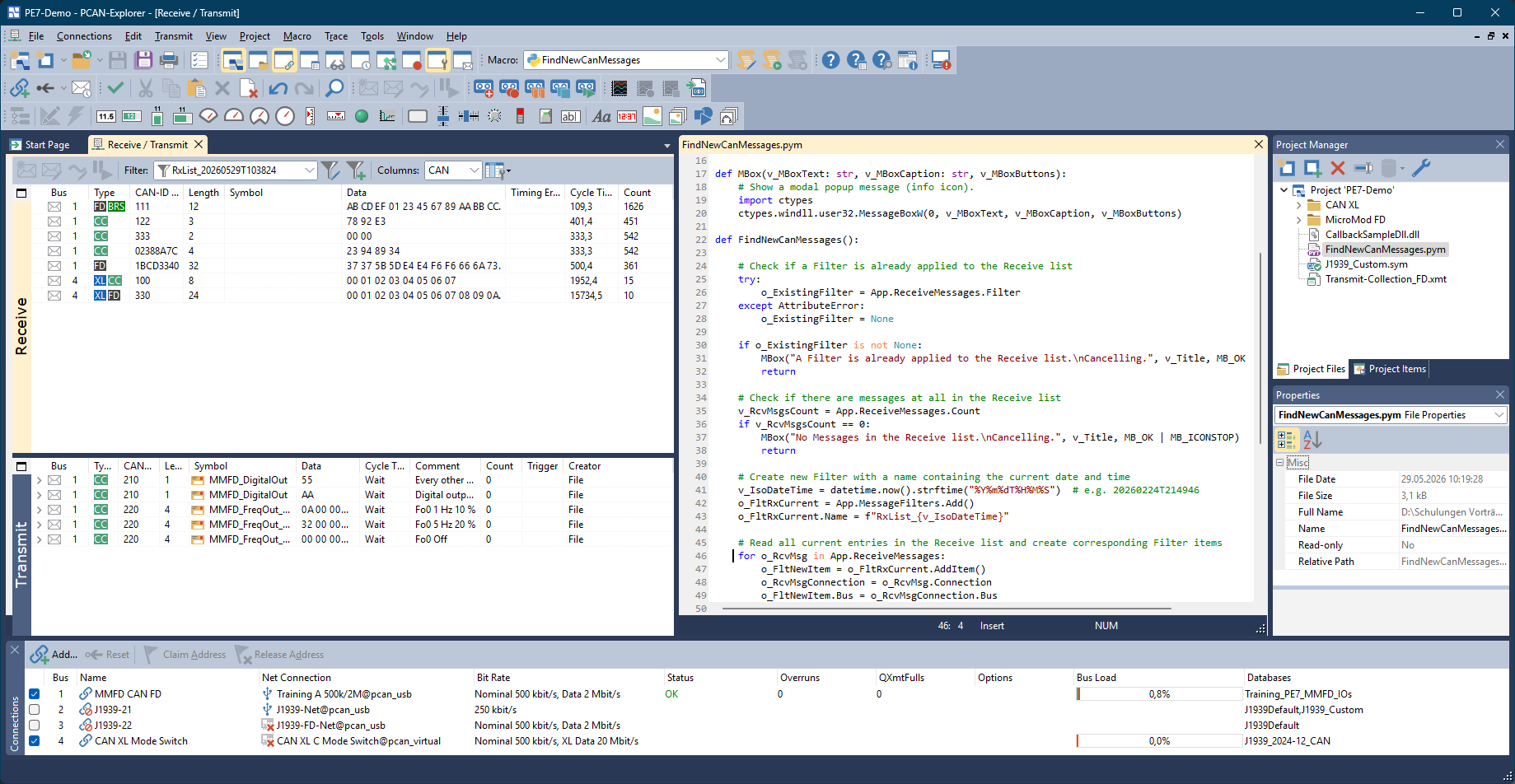
Common applications for Python scripting in PCAN-Explorer 7 include custom automation tasks related to CAN communication, analysis, and testing: checksum and CRC checks, signal visualization, logging to CSV or Excel files, simple restbus simulations, test automation, and diagnostic sequences. Additionally, system information such as time or date can be transmitted, simple high-layer protocols with handshake logic implemented, or state machines created — for instance, to flash custom devices or ECUs. Furthermore, Python can extend the use of existing features — such as the CAN Tracer and the Instrument Panel add-in — and tailor them more closely to project-specific requirements.
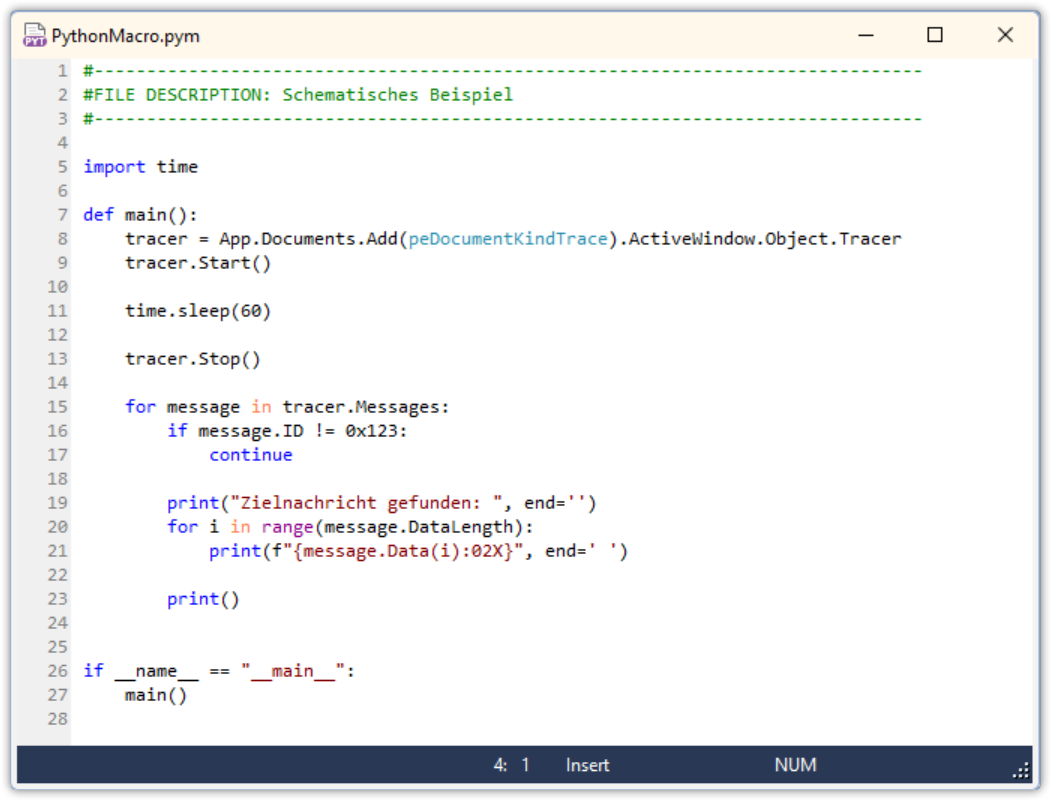
A classic use case is automated logging. A Python script starts a trace, runs it for a defined period, and subsequently checks whether specific CAN IDs, signals, or error patterns occurred. This is useful for endurance tests, commissioning, or regression testing. The benefit lies in reproducibility: every test run follows the same logic, and measurement data is automatically named and saved for later comparison.
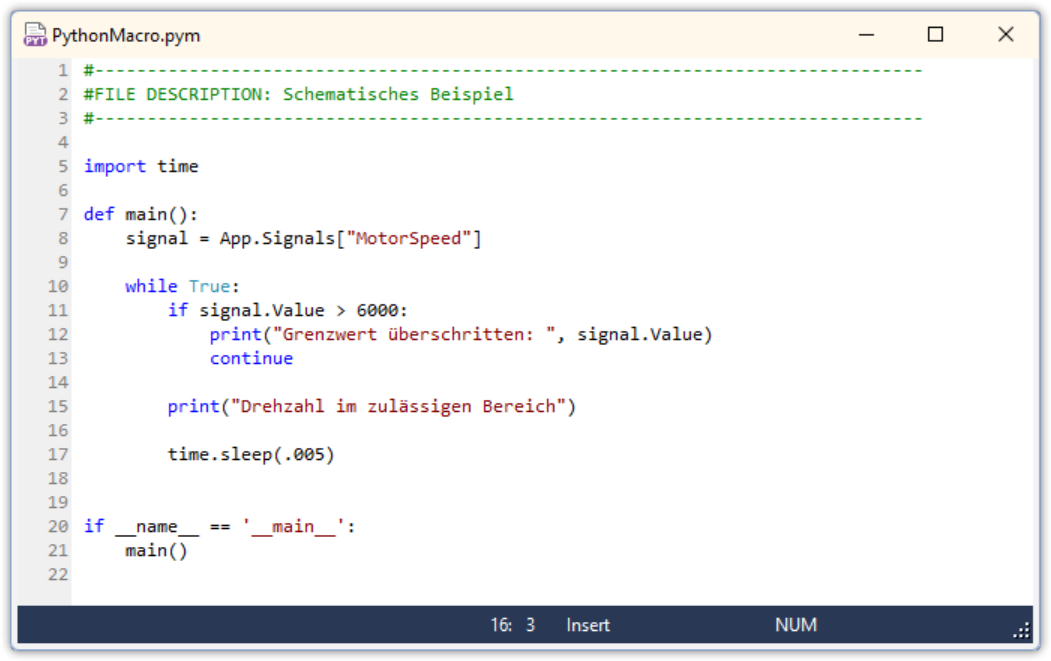
Another use case is signal-based analysis. In development projects, simply examining data bytes is often insufficient; physical signals – such as temperature, rotational speed, voltage, or status values – are crucial. CAN messages can be analyzed semantically using symbol or data descriptions, thereby transforming a manual visual inspection into an automated plausibility check. The value of such checks is particularly high for CAN FD and CAN XL, which feature larger data fields.
CSV logging and reporting are also among the common use cases. Python is ideally suited for writing measurement data to files in a structured format. This allows CAN data from PCAN-Explorer 7 to be prepared directly for analysis, test reports, or external tools – particularly useful when measurement results need to be documented or compared with other test runs, rather than simply viewed.
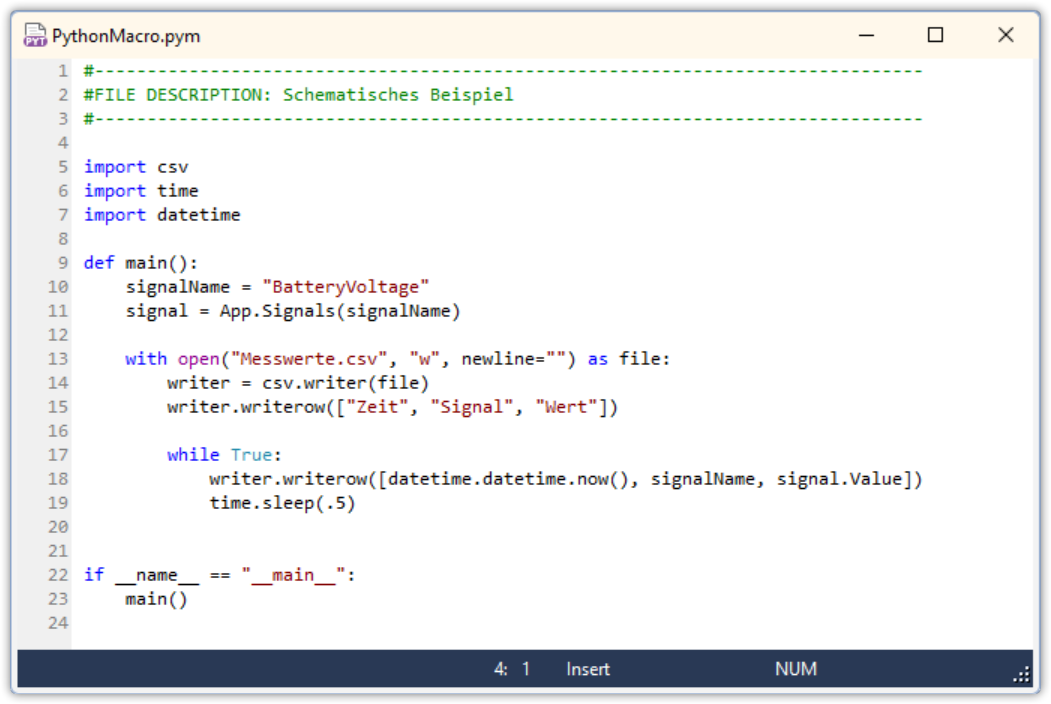
Integrated programming examples
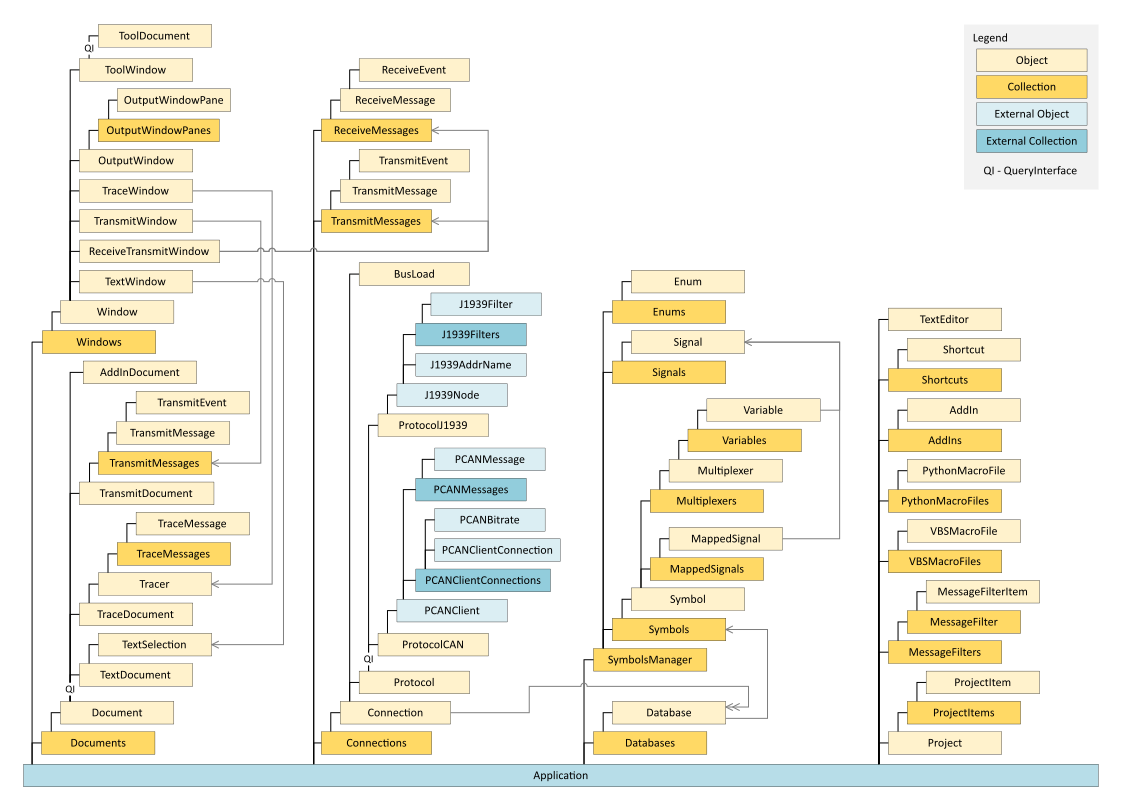
PCAN-Explorer 7 not only allows users to create their own Python scripts, but also provides specific programming examples directly through the software help. The “Automating Tasks in PCAN-Explorer” section offers an overview of all available objects in the PCAN-Explorer object model.
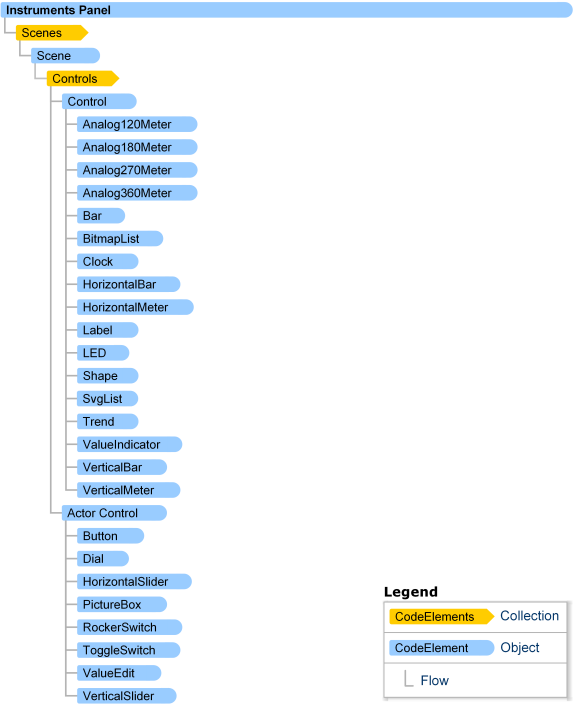
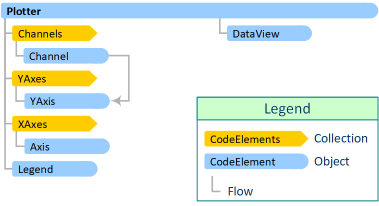
These examples demonstrate how to use scripts to interact with the software's functions — such as accessing projects, connections, messages, signals, or automation sequences. The examples are available for both VBScript and Python. This is supplemented by a complete reference of the available objects, including diagrams of the PCAN-Explorer object model as well as add-ins such as the Instruments Panel and Plotter. This overview is accessible in PE7 via the help section of the respective add-in being used, for example in the Instruments Panel under “Instruments Panel Object Model” and “Diagram of the Instruments Panel Object Model”.
Outlook
Python scripting makes PCAN-Explorer 7 better suited for modern development processes. Even today, manual CAN analyses can be converted into automated workflows. There are numerous ideas in the pipeline, including the retrofitting of PCAN-Explorer events for Python – which are not yet available as they are in VBScript – as well as a debug functionality in a later version. The most important point is already clear: Python expands PCAN-Explorer 7 from a powerful CAN analysis tool into a flexible automation platform for professional users.

