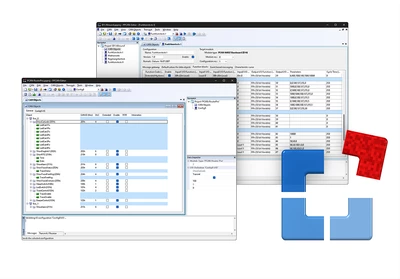

The PPCAN-Editor 2 software allows detailed parameterization of various I/O modules with a CAN connection, such as the PCAN-MIO, PCAN-Router Pro, or MU-Thermocouple1 CAN. First, incoming and outgoing CAN messages are defined. The user then has a large number of function blocks and other parameters available for processing CAN data traffic, specific to the hardware used.
Finally, the configuration data is transmitted to the module via CAN. To do this, a CAN interface from the PCAN range is required.
Features
- Definition of CAN message transmission, event-driven or periodic
- Data manipulation using basic scaling and offset functions
- Numerous functional building blocks for processing measured values, such as hysteresis functions, characteristics, arithmetic operations, and logic links
- Multiplexer function for conditional handling of CAN data (PCAN-MIO and PCAN-Router Pro only)
- Selective transmission of CAN data via gateway functions
- Conditional execution of functional blocks using comparison functions
- Configuration of module-specific parameters
- Import of symbol files from PCAN-Symbol Editors for user-friendly definition of incoming and outgoing CAN messages
- Transmission of configuration data via CAN
System requirements
- Windows® 11 (x64/ARM64), 10 (x86/x64)
- For CAN bus connection: a PEAK-System PC CAN interface
Scope of delivery
- PPCAN-Editor 2 Software
- Documentation in HTML-Help format
- Function block reference manual in PDF format
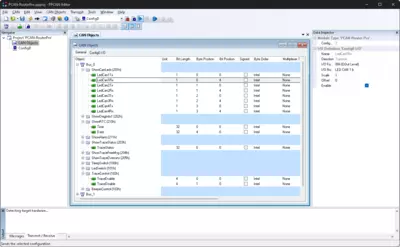
Screenshots
| Type | Configuration software |
|---|---|
| Operating system | Windows® 11 (x64/ARM64), 10 (x86/x64) |

