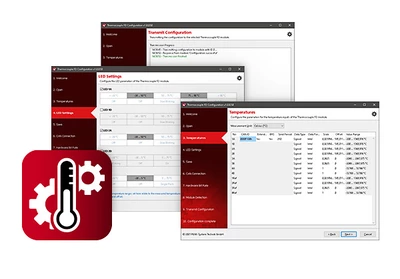

Thermocouple FD Configuration
Windows configuration software for the MU-Thermocouple1 CAN FD
DownloadData processing, message transmission, and LED display for the MU-Thermocouple1 CAN FD measurement unit are configured using the free Thermocouple FD Configuration software for Windows. The configuration created on the computer is transferred to the device via the CAN bus, which then operates as an independent CAN node.
Several devices can be configured independently of one another on the same CAN bus.
Features
- Creation and saving of configurations for the MU-Thermocouple1 CAN FD measurement unit
- Configuration of measurement data transmission with CAN or CAN FD
- Configuration of the eight measurement channels and the four measured values of the reference temperature sensors
- Assignment of CAN IDs and transmission periods for outgoing CAN messages
- Definition of the data type and format for each measurement channel (signed or unsigned / Intel or Motorola format)
- Definition of the processing of each measurement channel with a factor and an offset
- Configuration of the LED blinking behavior of the measurement channels
- Export of CAN message and data configuration as a symbol or CANdb file
- Transmission of configuration data via CAN
- Targeted configuration of multiple devices on a CAN network based on device ID
System requirements
- Windows® 11 (x64/ARM64), 10 (x86/x64)
- For CAN bus connection: a PEAK-System PC CAN interface
Scope of delivery
- Thermocouple FD Configuration Software
| Type | Configuration software |
|---|---|
| Target device | MU-Thermocouple1 CAN FD |
| Operating system | Windows 11 (x64/ARM64), 10 (x86/x64) |
| Protocols | CAN, CAN FD |
Thermocouple FD Configuration
Configuration software for the MU-Thermocouple1 CAN FD for Windows 11 (x64/ARM64), 10 (x86/x64)
Download
