
Software such as PCAN-Explorer or PCAN-View uses PEAK-System's *.trc text file format to record CAN messages. Depending on the number of incoming CAN channels, message traffic and recording duration, very large files can be generated, making them difficult to process afterward.
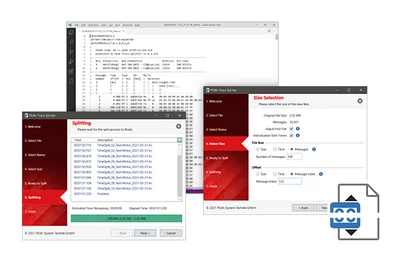
To address this problem, the free PEAK-Trace Splitter software offers a simple solution. The Windows software can split large trace files into several smaller files.
Features
- Splitting large trace files into several smaller files
- Splitting based on a maximum file size, recording duration, or number of messages, with optional offset
- Support for all versions of the PEAK-System *.trc text file format
- Flexible and configurable naming of generated files
- Option to reset the first timestamp to 0 and adjust subsequent messages
- Step-by-step user guide with built-in help
System requirements
- Windows® 11 (x64/ARM64), 10 (x64)
Scope of delivery
- PEAK-Trace Splitter Software
| File format | *.trc |
|---|---|
| Operating system | Windows 11 (x64/ARM64), 10 (x64) |

