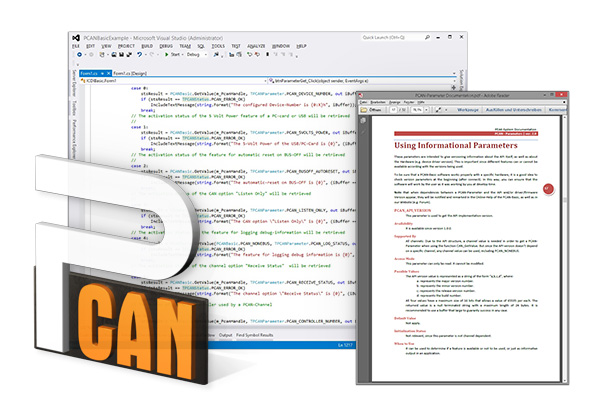

The PCAN-Basic programming interface (API) makes it easy to develop powerful software for handling CAN and CAN FD. The API integrates all the functions needed for the application to communicate with PCAN PC hardware. Thanks to its independence from the operating system, software development projects can be easily ported to different platforms.
This API consists of the device driver and an interfacing DLL, which provides the API functionality.
As the successor to PCAN-Light, PCAN-Basic offers a greater number of features and supports more languages. Developers have access to a large number of functions in C++, C#, C++/CLR, Delphi, VB.NET, Java and Python 3.x.
CAN FD
Since version 4, PCAN-Basic for Windows has supported the CAN FD standard (CAN with flexible data rate), characterized by higher bandwidth for data transfer.
PCAN-Basic for Linux
PEAK-System offers the PCAN-Basic API for developing your own CAN applications for Linux. To do this, developers can use C++, Java, and Python 3.x.
Features
- API for developing applications with CAN and CAN FD connections
- Compliant with CAN 2.0 A/B and FD specifications
- Development of applications for the Windows® 11 (x64/ARM64), 10 (x86/x64), and Linux platforms
- At the same time, its own application and several PEAK-System applications can run on a single physical channel
- Use of a single DLL for all supported hardware types
- Up to 16 CAN channels per hardware type (depending on the PEAK CAN interface used)
- Easy switching between channels of a PEAK CAN interface
- Access to the CAN channels of the PCAN-Gateway via the new PCAN-LAN hardware type
- Up to 32,768 CAN messages buffered internally by the driver per CAN channel
- Received message timestamp precision up to 1 µs (depends on the PEAK-CAN interface used)
- Supports PEAK-System trace formats version 1.1 and 2.0 (for CAN FD applications)
- Access to special hardware parameters, such as Listen-Only mode
- Application notification via Windows® events when a message is received
- Support for CAN error frames
- Confirmation of physical transmission via CAN echo frames
- Advanced debugging system
- Debug information available in several languages
- The interface language depends on the operating system language
- Ability to define your own debug information
- API supporting multitasking
System requirements
- Windows® 11 (x64/ARM64), 10 (x64) ou Linux
- For CAN bus connection: a PEAK-System PC CAN interface
- Note: parallel-port CAN interfaces are only supported on x86 systems
Scope of delivery
- PCAN-Basic DLLs d'interface (x86/x64/ARM64)
- Assembly PCAN-Basic.NET
- Examples and header files for all common programming languages
- Documentation in PDF and HTML-Help format
| Supported languages (Windows) | C++, C#, C++/CLR, Delphi, VB.NET, Java, Python 3.x |
|---|---|
| Supported languages (Linux) | C++, Java, Python 3.x |
| Max. CAN channels | 16 per hardware type |
| Buffer messages | 32,768 messages per CAN channel |
| Timestamp precision | 1 µs |
| Trace formats | PEAK-System v1.1, PEAK-System v2.0 (CAN-FD) |
API functions
Connection
Initialize |
CAN hardware initialization, bit rate configuration, driver connection |
|---|---|
InitializeFD |
CAN FD hardware initialization |
Uninitialize |
Driver disconnection |
Configuration
SetValue |
Definition of hardware parameters such as Debug-Log, Listen-Only and Auto-Reset |
|---|---|
FilterMessages |
Recording messages on reception |
Information
GetValue |
Reading DLL and API information |
|---|---|
GetStatus |
Reading CAN bus status information |
GetErrorText |
Description of error codes |
CAN communication
Read |
Reading a CAN message or status with timestamp included |
|---|---|
ReadFD |
Reading a CAN FD message |
Write |
Transmission of a CAN message (11/29-bit ID and RTR) |
WriteFD |
Transmission of a CAN FD message |
Reset |
Clearing of transmit and receive buffers |
PCAN-Basic API 5.x
API for developing applications with CAN CC, CAN FD and CAN XL connections for Windows® 11 (x64/ARM64), 10 (x64).
Download
